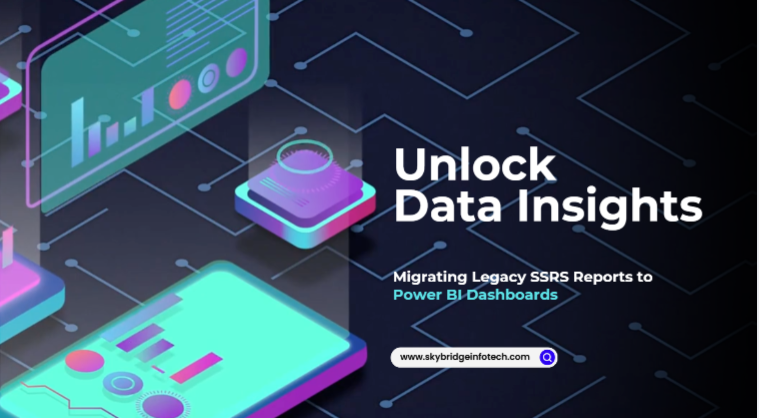
Unlock Data Insights: Migrating Legacy SSRS Reports to Power BI Dashboards
For many organizations, SQL Server Reporting Services (SSRS) has been a dependable reporting tool for years. It delivered structured, paginated reports that met traditional operational needs. However, as business expectations have evolved, so has the demand for more interactive, real-time, and visually intuitive analytics. This shift is driving enterprises to modernize their reporting landscape by migrating legacy SSRS reports to Power BI dashboards.
At Skybridge Infotech, we help organizations move beyond static reporting and unlock deeper, faster insights through a structured and business-focused SSRS-to-Power BI migration approach.
Why Legacy SSRS Reporting Is No Longer Enough
SSRS was designed for a different analytics era. While it still serves specific use cases, such as regulatory and print-ready reports, it struggles to meet modern analytics expectations.
Common limitations include:
- Static, table-heavy reports with limited interactivity
- Manual report distribution and refresh cycles
- Difficulty scaling analytics across departments
- Minimal support for self-service and exploratory analysis
Business users today expect to drill into data, spot trends instantly, and access insights across devices. This is where Power BI fundamentally changes the analytics experience.
The Power BI Advantage: From Reports to Insights
Power BI is not just a reporting tool; it is an interactive analytics platform. When organizations migrate from SSRS to Power BI dashboards, they gain the ability to transform raw data into actionable insights.
Key benefits include:
- Interactive dashboards: Users can filter, drill down, and explore data without IT dependency
- Real-time and near-real-time insights: Live connections and scheduled refreshes keep data current
- Rich visual storytelling: Intuitive visuals make complex data easier to understand
- Enterprise-grade security: Row-level security and Azure Active Directory integration
- Self-service analytics: Business teams can build and modify reports with confidence
The result is faster decision-making and greater data adoption across the organization.
Understanding the Migration Challenge
Migrating from SSRS to Power BI is not a simple one-to-one conversion. SSRS reports are often deeply embedded in business processes, built over years, and tied to complex SQL logic.
Common challenges include:
- Identifying which SSRS reports should be migrated, redesigned, or retired
- Translating paginated, pixel-perfect layouts into interactive dashboards
- Optimizing data models for Power BI performance
- Ensuring governance, security, and data accuracy during the transition
A successful migration requires both technical expertise and a clear understanding of business priorities.
Skybridge Infotech’s Practical Migration Approach
Skybridge Infotech follows a structured, outcome-driven approach to ensure a smooth and value-focused migration.
1. Discovery and Assessment
We start by inventorying existing SSRS reports, data sources, and usage patterns. This helps identify high-value reports, redundancies, and opportunities for consolidation.
2. Report Rationalization
Not every SSRS report needs a direct Power BI replacement. We work with stakeholders to determine which reports should become interactive dashboards, which remain paginated, and which can be retired.
3. Data Model Modernization
Power BI performs best with optimized semantic models. We redesign underlying data models to improve performance, scalability, and reuse across dashboards.
4. Dashboard Redesign and Development
Instead of recreating static reports, we reimagine them as interactive dashboards aligned to business questions and KPIs. This ensures insights, not just visuals.
5. Governance, Security, and Validation
We implement role-based access, row-level security, and data validation to ensure trust and compliance across the analytics environment.
6. Enablement and Adoption
Migration success is measured by usage. We support user training, documentation, and best practices to drive adoption and long-term value.
Real Business Impact
Organizations that migrate from SSRS to Power BI often see immediate benefits:
- Reduced reporting turnaround time
- Increased engagement with data across teams
- Improved visibility into operational and strategic metrics
- Lower dependency on IT for routine reporting changes
Most importantly, leadership gains confidence in data-driven decision-making.
When to Keep SSRS Alongside Power BI
Modernization does not always mean replacement. In some cases, SSRS and Power BI coexist effectively. Regulatory reports, invoices, and operational documents may still require SSRS, while Power BI handles analytics and dashboards. Skybridge Infotech helps design hybrid reporting strategies that balance practicality with innovation.
Unlock the Full Value of Your Data
Migrating legacy SSRS reports to Power BI dashboards is more than a technical upgrade. It is a shift toward modern analytics, better decisions, and a more data-driven culture.
Skybridge Infotech brings deep expertise in Microsoft analytics, business intelligence modernization, and enterprise data platforms. We focus on delivering insights that matter, not just dashboards that look good. If your organization is ready to move beyond static reporting and unlock real data insights, now is the time to modernize.